Process modeling
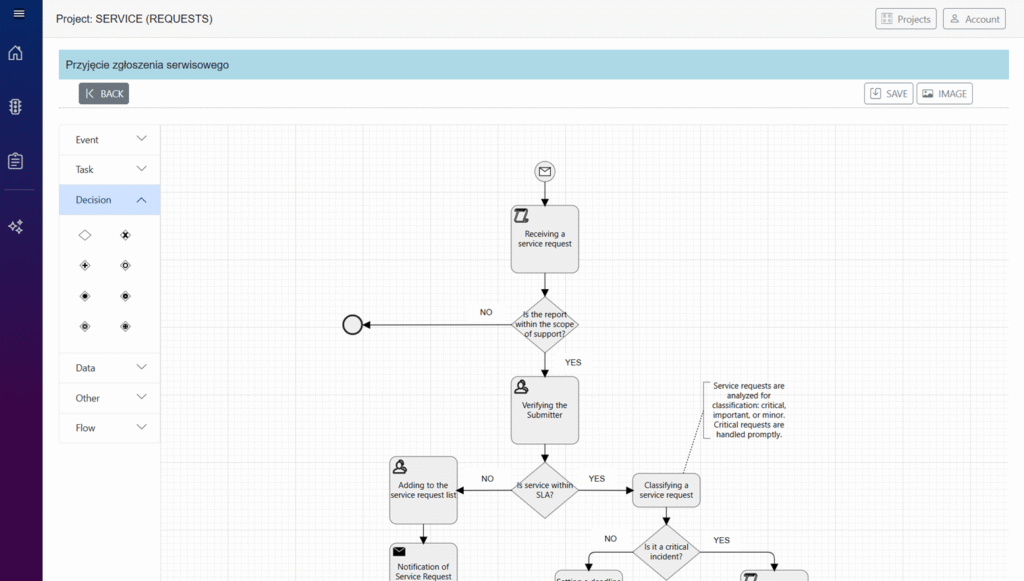
Process Designer
An online tool that enables users to create diagrams and describe each of their elements. The user interface has been simplified to keep the focus entirely on the designed process. The tool provides access to a library of ready-made process models that can be used as a starting point for new projects, a source of best practices, or a reference for comparison. This allows users to build consistent models more quickly while maintaining alignment with real business scenarios.
Process Architect
An intelligent AI-powered analytical tool that, based on a process description, analyzes activities and data structure. The system automatically identifies participants, interactions, and information flows, generating a UML Sequence diagram as an organized representation of the process flow. The resulting diagram can then be directly transformed into a BPMN model, providing a solid foundation for further process design, optimization, and automation.
Features:
- Web-based application for creating, editing, and sharing BPMN (Business Process Model and Notation) diagrams.
- It provides a visual canvas with drag-and-drop BPMN elements (events, activities, gateways, pools/lanes, data objects, artifacts).
- Users can add textual descriptions, documentation, and property details to each element to clarify intent and implementation.
- Supports collaboration features such as real-time editing, comments, version history, and sharing diagrams.
- Validation rules to ensure diagrams conform to BPMN standards and can be integrated with workflow engines.
Features to highlight:
- Intuitive drag-and-drop interface and keyboard shortcuts.
- Element property panels for setting IDs, names, types, conditions, and scripts.
- Templates and reusable fragments for common processes.
- Role-based access control and team collaboration tools.
- Simulation and execution preview.
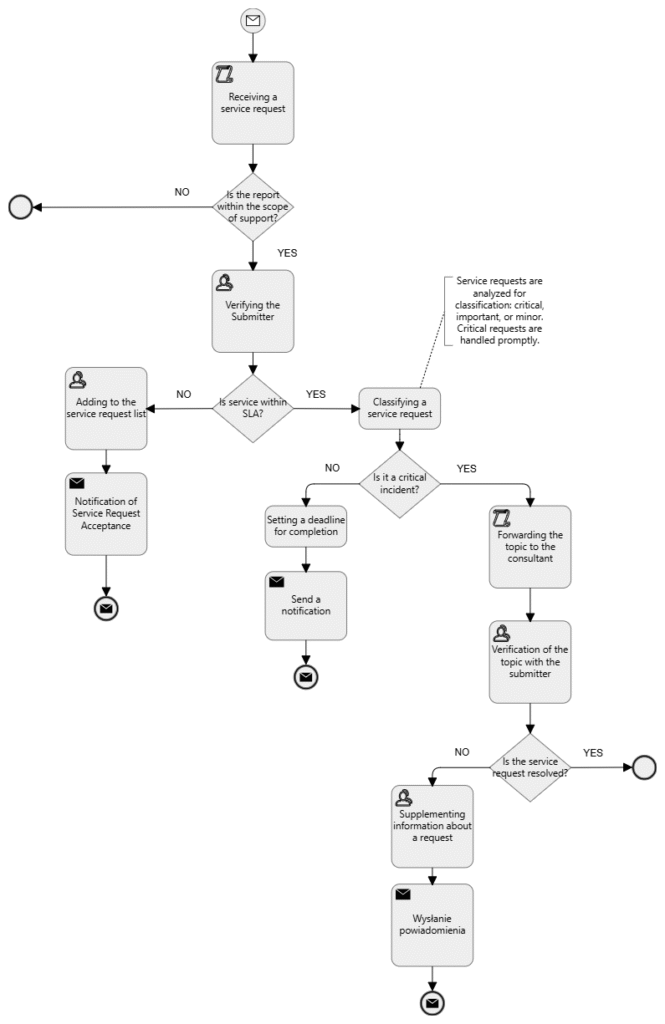
When creating a model of a domain, we start by preparing a list of its components. There are two types of it: processes and requirements. Processes define a sequence of steps. Requirements describe a context to correctly understand specifications.
An Event is a common BPMN process model element that represents something that happens during a business process and is notated with a circle. The type of events are as follows:
- Start – Indicates the beginning of the process and every business process start with an event. Subtypes: timer, message, error.
- End – Indicates the end of the process, and every business process ends with an event. Subtypes: timer, message, error.
The Activity is the task that is performed in a business process. It is represented by a rounded rectangle.
There are several types of activities. They are listed as follows:
- None: A non-classified activity.
- User: A User task represents that a human performer performs the task with the use of a software application..
- Manual: A Manual task is a task that is performed without the aid of any business process execution engine or any application..
- Script: A Script task is an automated activity when a process execution arrives at the Script task, the corresponding script is executed.
- Send: A Send task represents a task that sends a message from one to another. The task is completed once the message has been sent.
- Receive: A Receive task indicates the wait for the arrival of a certain message. The task is completed once the message has been received.
A Gateway is used to control the flow of a process and it is represented in diamond shape. List of types:
- None: It is represented in diamond shape. None of the symbol shows inside this shape.
- Exclusive: It is a state of the business process and based on the condition, breaks the flow into one or more mutually exclusive paths.
- Parallel: The parallel gateways are used to represent two concurrent tasks in a business flow.
- Inclusive: Breaks the process flow into one or more flows.
- Complex: These gateways are only used for the most complex flows in a business process.
- Event Based: The event-based gateway allows you to make a decision based on events.
- Exclusive Event Based: Starts a new process instance with each occurrence of a subsequent event.
- Parallel Event Based: This gateway is similar to a parallel gateway. It allows for multiple processes to happen at the same time but unlike the parallel gateway, the processes are event-dependent.