Operational Support Platform
The Inceptus Support Platform is an advanced yet easy-to-use web-based system designed to streamline and optimize maintenance operations. Accessible from anywhere with an internet connection, it provides a centralized environment for asset management, task scheduling, and real-time monitoring of maintenance activities.
Explore the system on the website: https://support.inceptus.online/
We provide organizations with a next-generation service management system — designed specifically for ERP, WMS, TMS, and e-commerce, where traditional ticket-handling approaches simply stop being effective. Our solution redefines the role of service operations: transforming them from a reactive “ticket center” into a process-driven platform for collaboration and accountability.
1. Service is no longer a ticket-handling center
Instead of a collection of random tickets, we provide an organized, contextual workspace where every issue is part of a larger process. This eliminates information loss, unclear responsibilities, and the quality degradation typical of the traditional model.
2. What matters is process context, not the ticket itself
The system automatically links tickets with processes, documents, transactions, and user roles. Issues cease to be isolated incidents — they become elements of business process analysis.
3. One ecosystem — many systems
We connect ERP, WMS, TMS, e-commerce, and analytics tools into a single service environment. Integration handling and complex inter-system dependencies are built directly into the platform’s architecture.
4. Not every issue is a system defect
Our system distinguishes technical defects from missing data, configuration errors, or competence gaps. This helps consultants and users identify the true root cause more quickly.
5. The user becomes an active participant in the process
In the new model, the user does not simply “submit a ticket” — they actively participate in its resolution:
provide context,
complete missing data,
monitor progress in real time.
This role shift significantly improves service quality.
6. Equal access to information and decision-making
Users and consultants operate in one fully transparent workspace. Responsibilities are clear, permissions are visible, and collaboration becomes truly effective.
7. Transparency instead of escalation
Every decision, interaction, and status change is visible to all parties. The need to chase information via emails or phone calls disappears. Transparency becomes a natural control mechanism.
8. Response time depends on the quality of information
Speed of action depends on the quality of input data, automatic classification, and accurate assignment of responsibility. Our system reduces chaos and improves the precision of the initial diagnosis.
9. Service supports development, not just repair
This platform:
reveals process gaps,
identifies data quality issues,
strengthens integration architecture,
builds user competencies.
Service becomes a tool for continuous improvement.
Declaration
We believe the service function of the future is a shared space of responsibility, knowledge, and decision-making. With our online support system, organizations stop putting out fires — they begin consciously designing stable, predictable, and scalable operational environments.
The system focuses on:
Handling tickets – registering, categorizing, and prioritizing reported issues.
Ticket management – enabling users to track and update information related to their tickets.
Communication between users and support teams – providing clear, structured channels for collaboration.
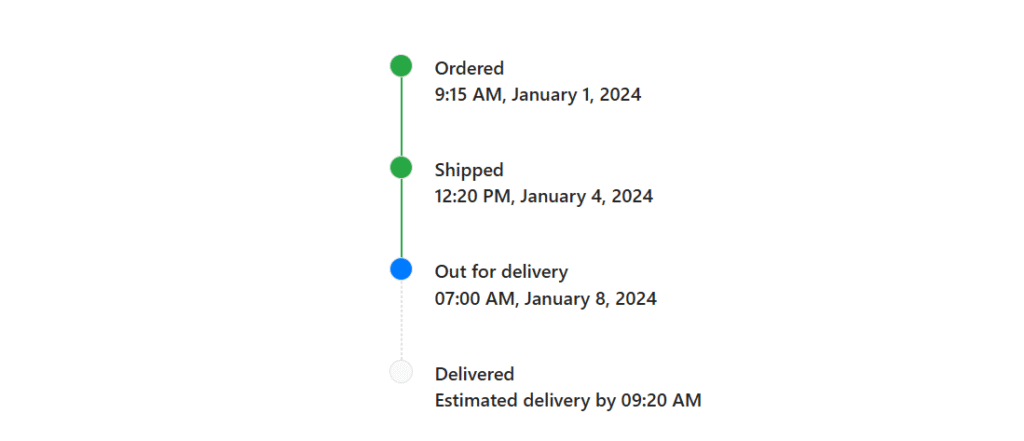
Tracking ticket progress – monitoring status changes, history, and actions taken.
Workflow automation – streamlining processes and routing tasks efficiently.
- SLA management – ensuring that response and resolution times meet agreed service levels.
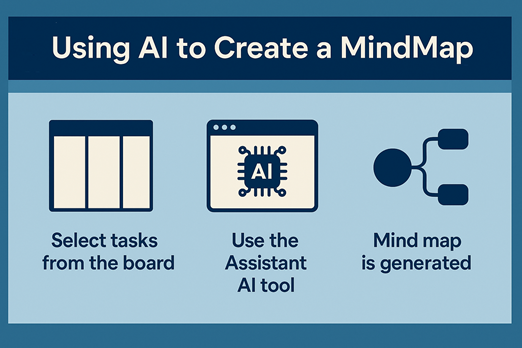
Using AI to create a mind map – transforming selected tickets into an organized, visual map that presents root causes, areas for improvement, and recommended actions.
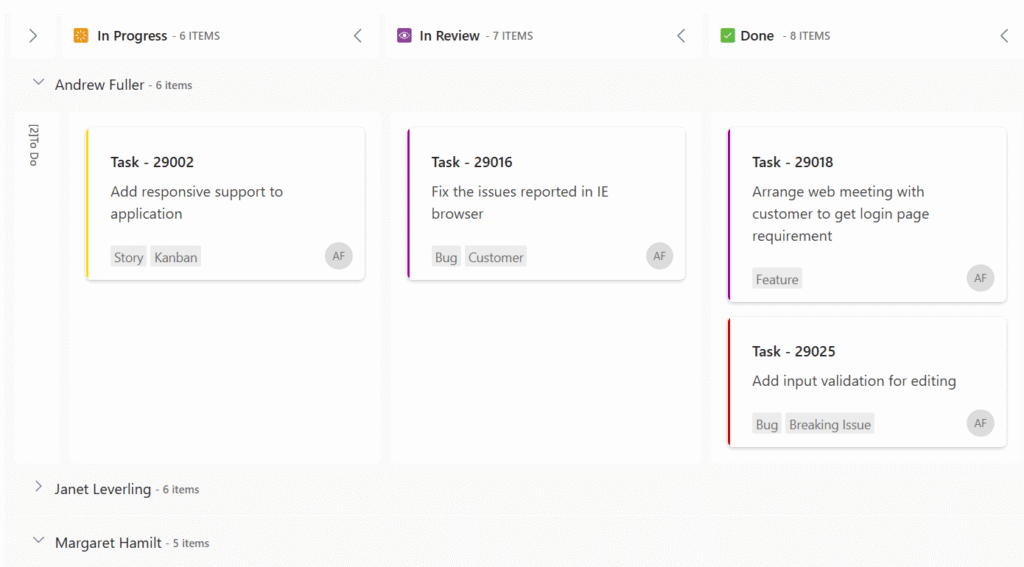
Our maintenance platform offers an intuitive drag-and-drop feature that allows users to easily manage card statuses. With this functionality, users can update task progress simply by dragging cards between columns that represent different stages of the process, such as “In Progress,” “Verification,” or “Completed.”
Managing card statuses with drag-and-drop:
Visual workflow
The platform displays tasks in a clear Kanban layout. Each column represents a specific status, enabling quick and accurate progress tracking.
Easy updates
Users can instantly change the status of a task by dragging a card to the appropriate column — making it immediately visible at which stage the work currently is.
Increased productivity
The intuitive handling reduces the time needed for task management and simplifies the entire process, directly improving team efficiency.
Assigning tasks to responsible specialists:
Simple assignment
Each card can be easily assigned to the appropriate specialist. Simply select a task and choose a person from the list or dropdown menu.
Clear accountability
Assigned specialists receive notifications, ensuring quick action and maintaining responsibility for each task.
Collaborative environment
The entire team can see who is responsible for each task, improving communication and eliminating ambiguity.
The combination of drag-and-drop functionality and effortless task assignment enhances workflow management, strengthens team collaboration, and increases the overall efficiency of maintenance operations.
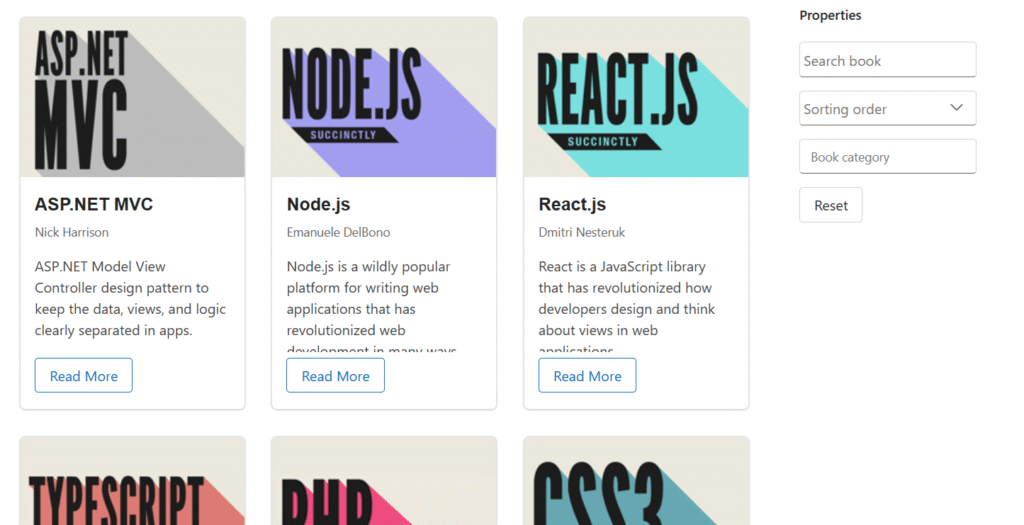
Features of the Completed Service Requests section:
Card-based display
Completed service requests are presented as individual cards. Each card includes key information such as the task description, completion date, and the assigned specialist.
Searchable database
You can quickly locate specific requests using the search function. Enter a keyword or phrase to filter results and efficiently browse historical data.
Sorted by completion time
Cards are automatically sorted in descending order based on their completion date, ensuring easy access to the most recent tasks.
Detailed information
Each card may contain additional details available under “Read more,” such as a description of the steps taken to resolve the issue or any provided feedback.
This organized and searchable structure gives users an intuitive way to review and analyze completed requests, supporting continuous process improvement and informed decision-making.